 RoomTour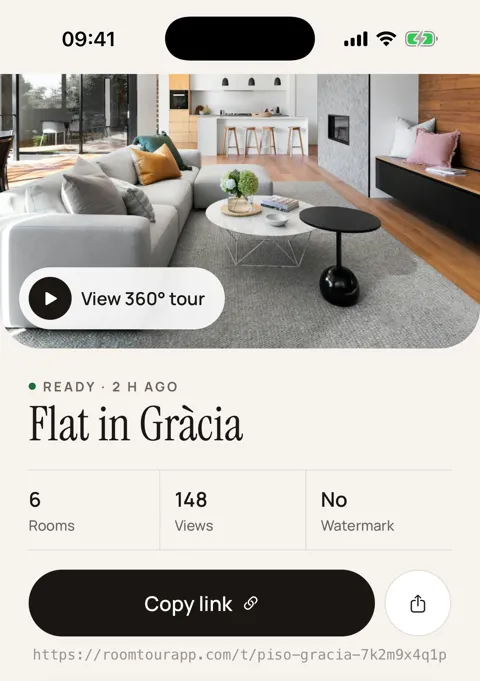
Photos don't show how the place fits together
Your listing photos sell the place, but they leave questions. Does the second bedroom face the street? Is the sofa bed in the living room or a separate room? How far is the bathroom from the kids' room? Those are the messages you get before someone books, and the reason behind the odd "not what the photos suggested" review.
A 360° tour lets a guest look in every direction, room by room, and the approximate floor plan shows how the rooms connect. What it doesn't solve is getting the tour onto Airbnb or Booking.com, and that's worth knowing before you start.
Key takeaway: Airbnb doesn't allow external links in listings or its messages, and Booking.com blocks them by default. The tour earns its keep on channels you own: your direct-booking website, your social accounts, guests who book direct, and your owners.
Where the tour can go (and where it can't)
Before you paste the link anywhere, check what each platform says:
- Airbnb. Its off-platform policy bans links that take people off Airbnb in listings or messages, and asking for contact details before booking. Not in the description, not in a photo, not in the chat.
- Booking.com. Strips external links from guest messages by default. Several channel managers explain how to approve domains in the extranet, for example innRoad. Check your own account before relying on it.
- Vrbo. Its photo guidelines reject images with text overlays such as URLs or contact details, and graphic overlays. A QR code inside a gallery photo is unlikely to get through.
- Your direct-booking website. No restrictions: embed the tour with an iframe on each property page.
- Social media and WhatsApp with direct guests. The link shows a preview with photo and title when you paste it.
The full detail, sourced to each platform's help pages, is in can you add a virtual tour to Airbnb?
How it works for you
- Open the app in each room and stand in the middle. The screen shows one target at a time; turn slowly on the spot until you've taken about 30 shots.
- The app stitches the shots on the iPhone into a 360° panorama of that room, ceiling and floor included.
- Repeat through the property. The phone's motion tracking draws an approximate floor plan showing how the rooms connect.
- Publish the tour and get its roomtourapp.com/t/… link and an embed code for your website.
- Use it where you can: the property page on your site, your Instagram bio, your reply to a direct enquiry on WhatsApp.
Open the example tour on your phone to see what a guest gets.
What you get for each property
- A share link with a photo and title preview in WhatsApp and on social.
- An iframe for each property page on your direct-booking site.
- An approximate floor plan from the iPhone's motion tracking, good for understanding the layout. Not for measuring.
- An A4 QR poster, in English or Spanish, if your management company has an office or shopfront.
- View counts for each tour in the app, and a web dashboard at /app to see your tours from a computer.
No watermark, and free for early users. iPhone only.
For holiday let and short-term rental managers
If you manage other people's properties, a tour helps at three points:
- Winning a new owner. Showing the tour of a property you already manage explains how you'll present theirs better than a brochure.
- Owner updates. An owner who lives elsewhere can see their place in 360° after a refurb or new furniture, and the app shows how often the tour has been opened.
- Your website. A tour on every property page makes your site more useful than a photo gallery, and it's the one place no platform limits you.
When something else is the better choice
We make RoomTour, so here are the limits plainly:
- If you only list on Airbnb and Booking.com and have no website or direct guests, a tour has little to do. Spend the time on the photos instead; the gallery is what those platforms show. Tips in property photos with your phone.
- If you shoot many properties every week, a 360 camera captures a room in one press and is faster.
- If you need a measured 3D model or a dollhouse view, a scanner such as Matterport is the right tool.
- If you use Android, guests can open the tour in any browser, but the app that makes it is iPhone only.
And the tour changes nothing about the rules for letting a property short term where you are, whether that's a council licence, a registration scheme or a cap on nights. Check those first.
Frequently asked questions
Can you add a virtual tour to Airbnb?
Not as a link. Airbnb's off-platform policy bans links that take people off Airbnb in listings or messages, and there is no 360 tour field. Use the tour on your own website, on social media and with guests who book direct.
Can I put a 360 tour on Booking.com?
We found no virtual tour field for properties on Booking.com. By default it strips external links from guest messages, though channel managers explain you can approve specific domains in the extranet. Details in can you add a virtual tour to Airbnb.
What photos do I need for an Airbnb listing?
Airbnb asks for photos of at least 1024 × 683 pixels in landscape, with at least one photo per room so it appears in the photo tour. Vrbo requires at least 6 photos. A 360 tour adds to those photos; it doesn't replace them.
Do I need a 360 camera for a virtual tour of my Airbnb?
No. With RoomTour you take about 30 shots per room on your iPhone, following on-screen targets, and the app stitches them into a 360° panorama. A 360 camera is quicker if you shoot several properties a week.
Is it useful for holiday let management companies?
Yes. One tour per property works on your company website, when pitching to a new owner, and as part of an owner update, with the view count for each tour shown in the app.